
As of August 2026, a new feature has arrived to the SIGNiX Dashboard for new and existing clients.
You can now drag and drop PDF documents onto the designated area at the top of the Dashboard, to start a new transaction.
Don't have the file ready to drag and drop? That's okay, you can click with your mouse on the designated area and a window will open to help you search for the file that you want to add.
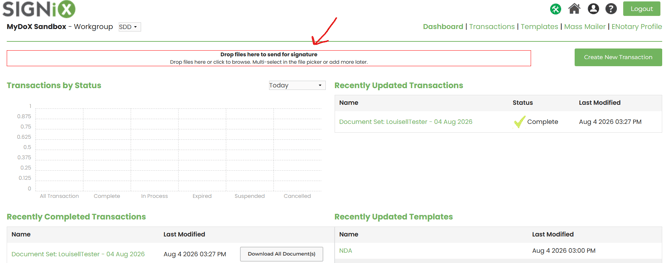
Here is a close up of the "Drop Zone" text.

This new feature simply provides an alternate way to start transactions, either with documents or with signers by using the existing "Create New Transaction" button.
All other functionality remains the same for the creation and sending of transactions out for signature. We hope this feature adds some ease of use to the platform for clients.