
Requirements:
- Review the details on the state website: https://www.pa.gov/agencies/dos/resources/notaries-resources-and-information/electronic-or-remote-notarization
- You must already be a traditional notary first.
- Complete the "Electronic Notary Public Application" form found on the state's website and submit it to the state: https://www.notaries.pa.gov/
- Sign up with a RON vendor, like SIGNiX
- Purchase a Digital Notary Seal image from a third party vendor that meets the state's requirements.
-
- We recommend the company eNotary Supplies, and enter code "signix" at checkout to save $5 off the purchase of your digital seal image.
- Login to the state's website again and select SIGNiX as your "Technology Vendor" which will trigger the state to contact SIGNiX for confirmation.
What is required to enter during the application?
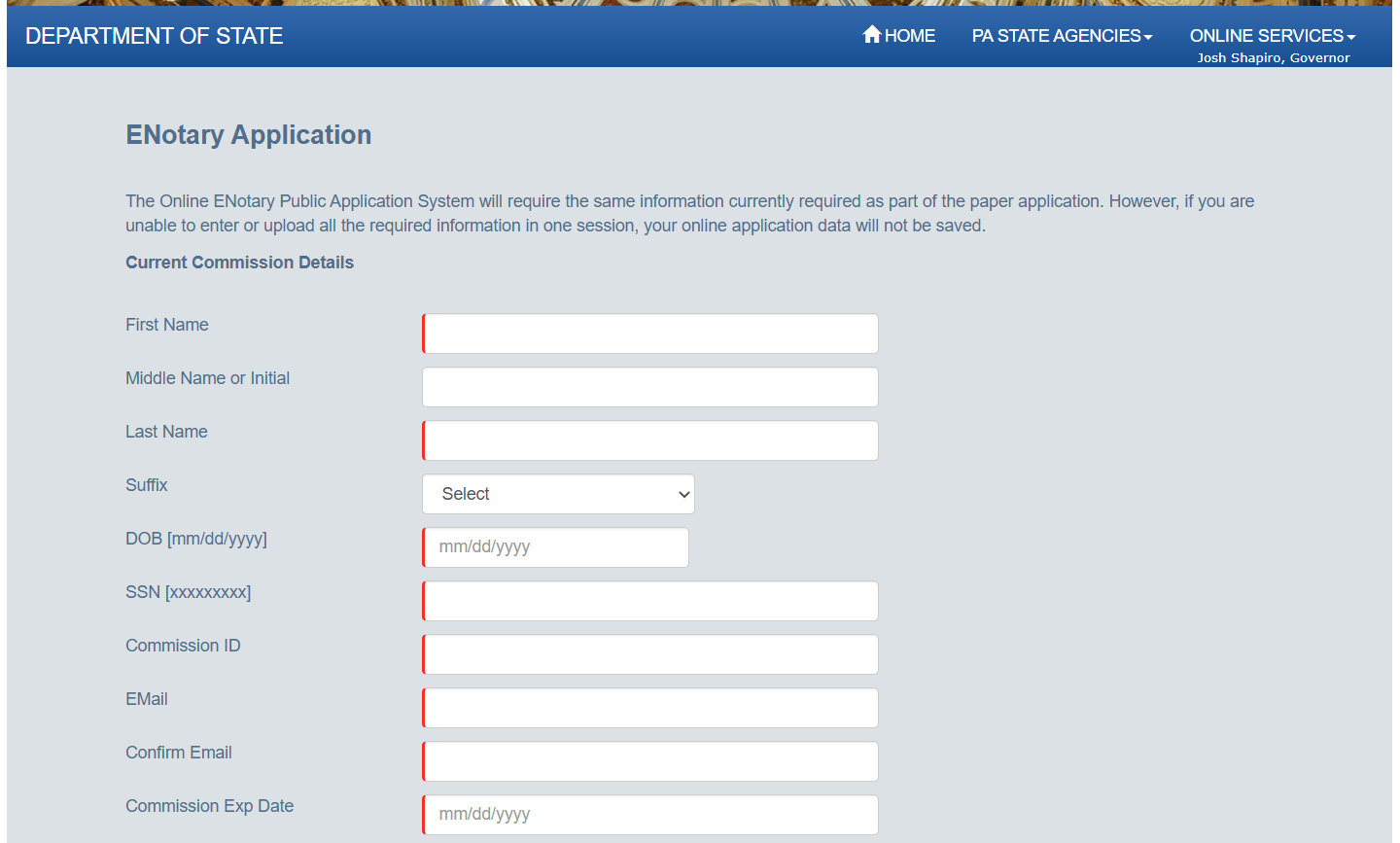
You must provide the state with your current notary commission information, and details about yourself in the application. Below is what the first screen looks like.
What happens after the application is submitted?
The state of Pennsylvania will contact you about your approval. If there was any issue found within the application, they may email or message you directly to correct it.
Please remember to select SIGNiX as your "Technology Vendor" so that we can then confirm you as one of our clients for the state's records. Not doing this could delay your final approval.
The state should explain any issues and how to correct them, but you are welcome to send questions you have to our Customer Support team as well: customersupport@signix.com